Getting Started
SoundBakery is a native macOS application for indexing, organizing, and searching local audio sample libraries using on-device artificial intelligence. This guide walks through the first launch experience and core concepts.
First Launch
When you open SoundBakery for the first time, the Setup Wizard appears. This guides you through configuring AI models before you can use the app.
The Setup Wizard guides you through selecting your AI provider (In-App or Remote) and downloading required models. Re-open it anytime via SoundBakery → Configure Models.
The wizard steps are:
-
Welcome
Choose your AI provider: In-App AI (Local MLX) for fully offline operation, or Remote Provider to connect to an external API.
-
Model Selection
Pick the LLM (language model) and embedder (semantic search model) you want to use. Larger models offer better results but use more RAM.
-
Download
Models are downloaded from HuggingFace. The download progress is shown in the wizard. Once complete, the app is ready to use.
If you choose Remote Provider, you can skip model downloads entirely and connect to an OpenAI-compatible server instead. You only need a server URL and optional API key.
Choosing Your AI Mode
SoundBakery supports two fundamentally different operating modes for its AI pipeline:
| Feature | In-App AI (MLX) | Remote Provider |
|---|---|---|
| Privacy | 100% local. Data never leaves your Mac. | Audio metadata sent to remote server. |
| Internet | Not required after model download. | Required for every query. |
| Hardware | Apple Silicon (M1+) required. | Any Mac with network access. |
| Speed | Fast on M-series chips. RAM usage varies. | Depends on server and network. |
| Cost | Free (one-time model download). | May incur API usage fees. |
| Setup time | Downloads: 1-10 minutes. | Instant (enter server URL). |
System Requirements
| Item | Minimum | Recommended |
|---|---|---|
| Mac | Apple Silicon (M1) | M2 Pro or newer |
| RAM (In-App AI) | 16 GB | 32 GB (for Qwen3-4B) |
| RAM (Remote only) | 8 GB | 16 GB |
| Disk space | 2 GB free | 5 GB free |
| macOS | macOS 14 (Sonoma) | macOS 15 (Sequoia) |
MLX (Apple's machine learning framework for Apple Silicon) is required for on-device AI. Intel Macs cannot run local models and must use the Remote Provider mode.
Application Layout
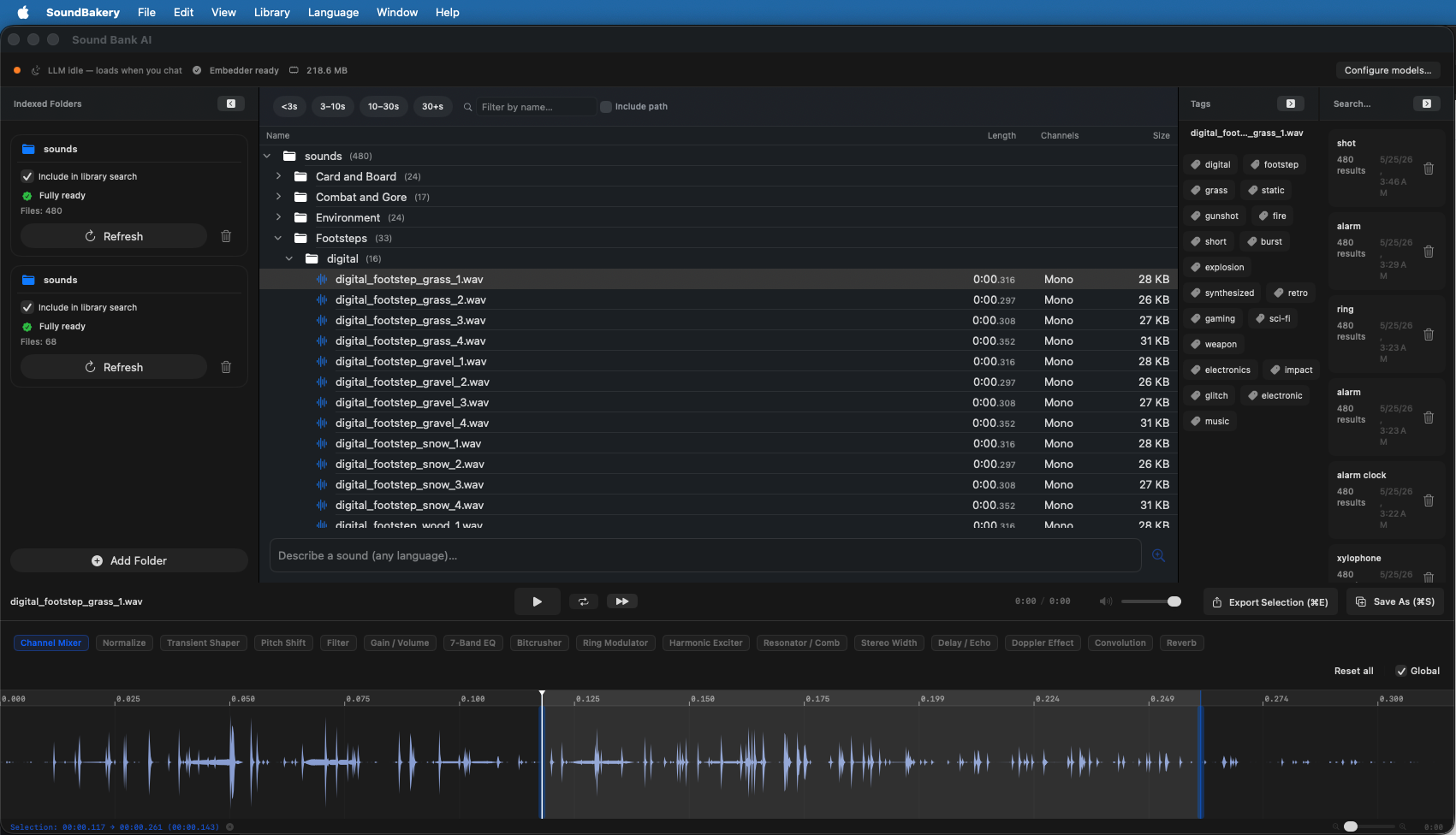
The main window is divided into three panels:
- Left sidebar — Indexed folders list (collapsible). Add, remove, or re-index folders here.
- Center area — The main workspace: a chat interface for natural language queries with the catalog browser below.
- Right panel — Search history (collapsible). Browse past queries and their results.