Finding Files
SoundBakery provides multiple ways to locate audio files in your indexed library: the catalog browser, semantic search, and tag-based filtering. Combine them for precise results.
On this page
Catalog Browser
The catalog browser shows all indexed files in a tree view organized by folder structure. It appears at the bottom of the main window, below the chat area.
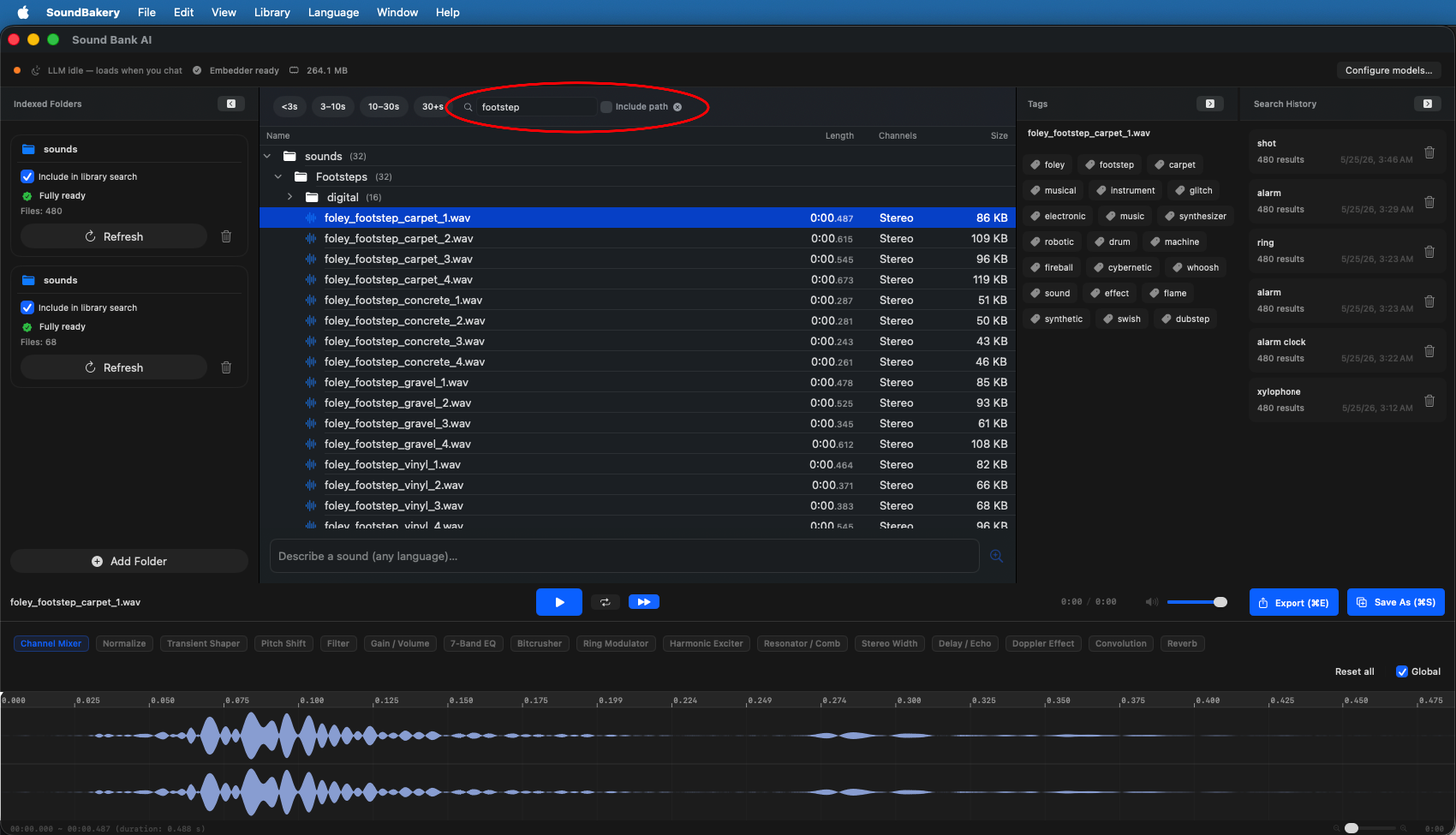
Catalog Tree
The left side of the catalog shows a hierarchical tree mirroring your indexed folder structure. Each folder node displays:
- Folder name with the number of files inside
- Expandable subfolders
- Total duration of all files in the folder
File List
When you select a folder (or when ranked search results appear), the right side shows individual files. Each file row displays:
- Filename — Click to preview or select
- Duration — Formatted as minutes:seconds.milliseconds
- Channels — Mono, Stereo, Multi (5.1 / 7.1)
- Sample Rate — e.g. 44.1 kHz, 48 kHz, 96 kHz
- File Size — For storage-aware browsing
- Tags — AI-predicted acoustic tags
- Rank Score — When using semantic search, a similarity score (0.00 — 1.00)
Filter Bar
The filter bar sits above the catalog and provides real-time filtering controls:
Duration Buckets
Capsule-style multi-select buttons to filter by duration range:
- Very Short — < 1 second
- Short — 1–5 seconds
- Medium — 5–30 seconds
- Long — 30 seconds – 2 minutes
- Very Long — > 2 minutes
Name Filter
Type in the text field to filter files by filename. An Include Path checkbox extends the search to the full file path (including parent folders).
Starred Only
Toggle to show only files you have favorited with a star rating.
Precision Slider
When using semantic search, a precision slider (0.00—1.00) lets you control the relevance threshold. Lower values show more results (including less relevant matches); higher values show only the most relevant matches.
Show All
Clear all filters and return to the full folder tree view.
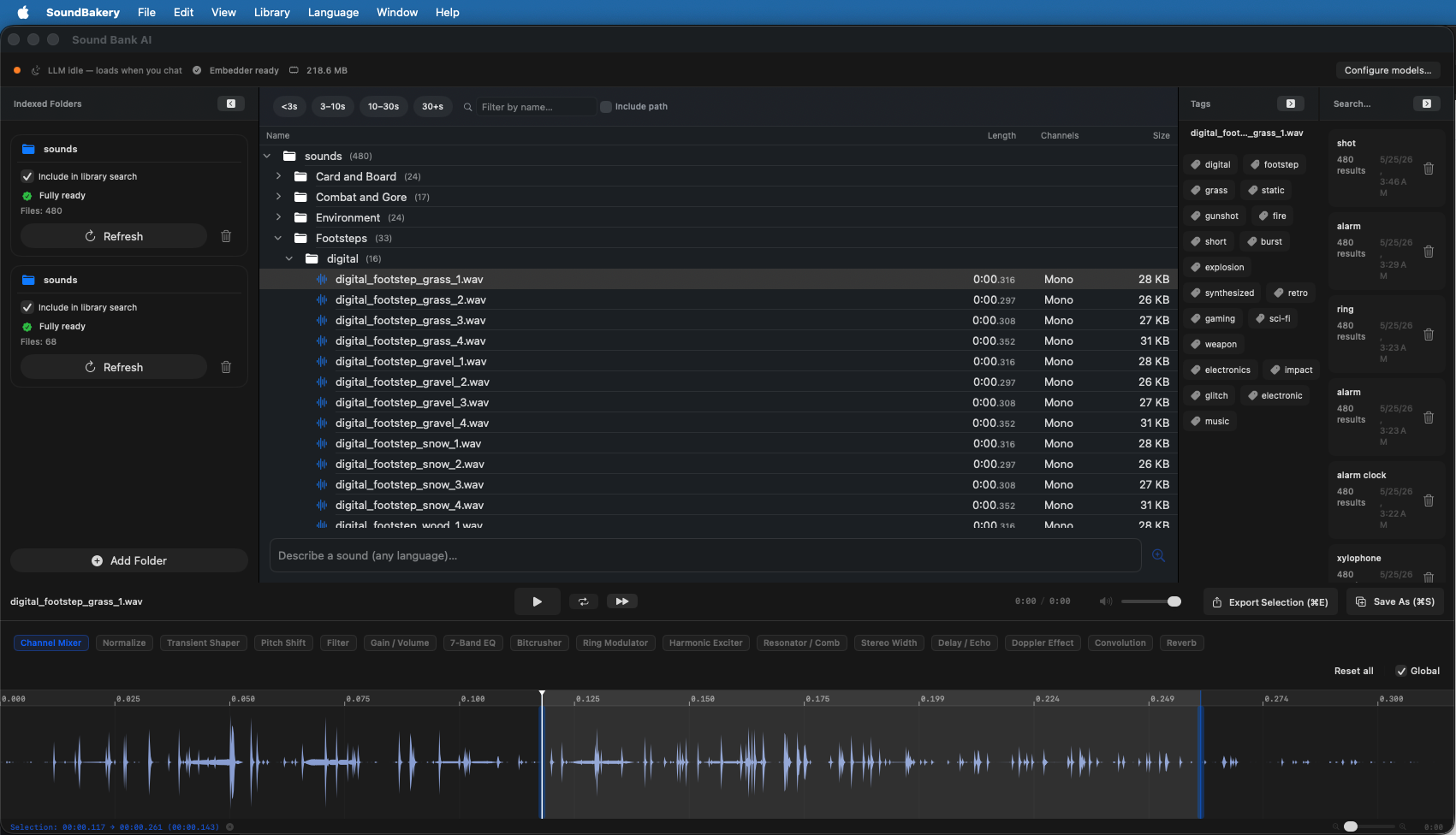
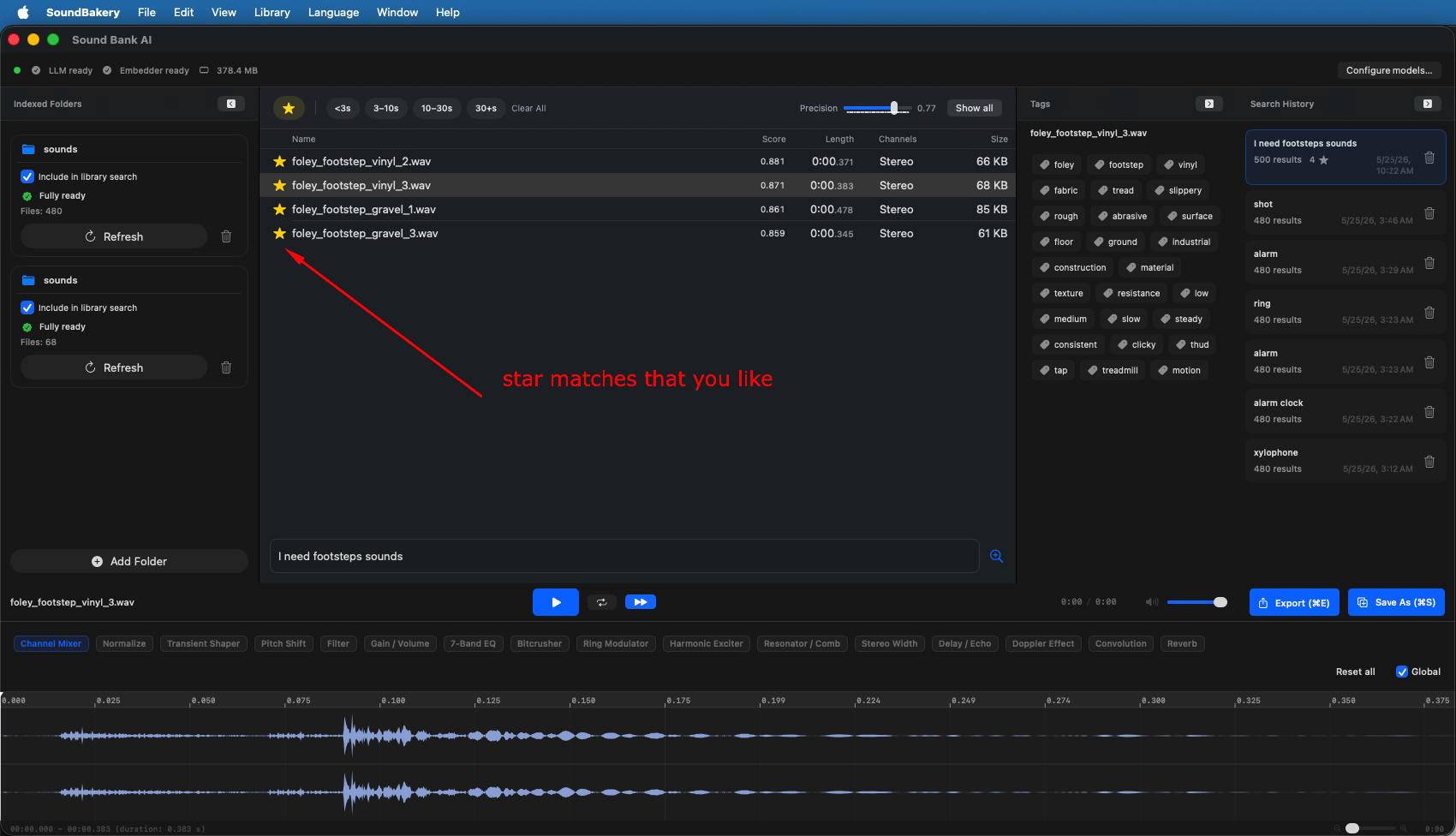
Tag Panel
When a file is selected or playing, the tag panel shows the AI-predicted acoustic tags for that clip. Tags are grouped into categories:
- Acoustic descriptors — e.g., "bright," "warm," "dark," "reverberant," "dry"
- Sound sources — e.g., "impact," "synthetic," "acoustic," "electronic"
- Genre/style — e.g., "ambient," "cinematic," "glitch," "percussive"
Click any tag to filter the catalog by that tag — showing all files that share it.
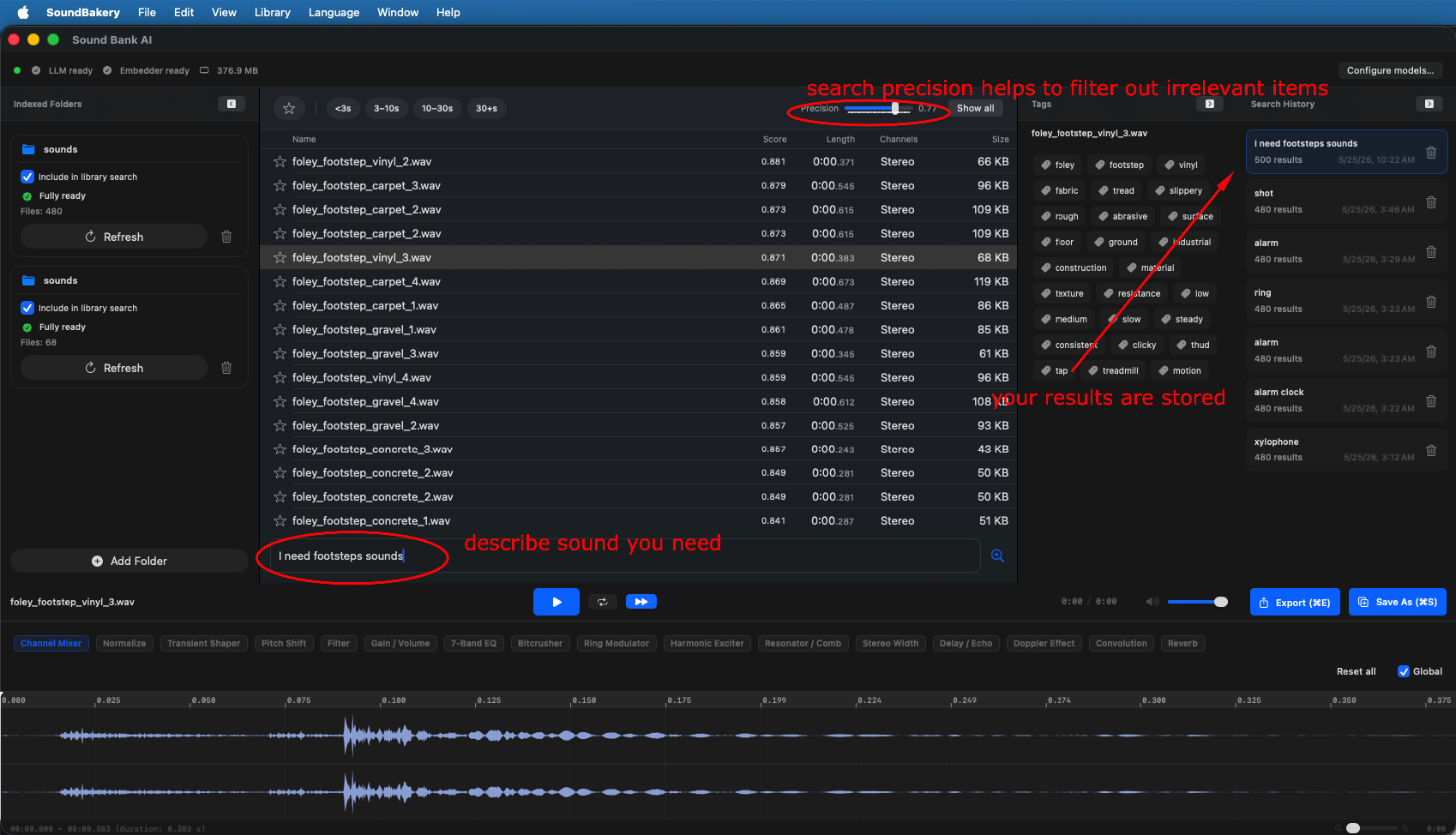
Search History
The right panel (collapsible) stores a history of your semantic search queries. Each entry shows:
- The query text you typed
- The ranked results from that search (cached — no re-embedding needed)
- Timestamps for when the search was performed
Click any history entry to restore the search results instantly. This is useful for comparing multiple search approaches or returning to a previous set of results.
For precise results, combine the chat assistant with catalog filters. Ask the chat to find "bright percussive hits under 2 seconds," then use duration filters and the precision slider to narrow results further.