Playback & Effects
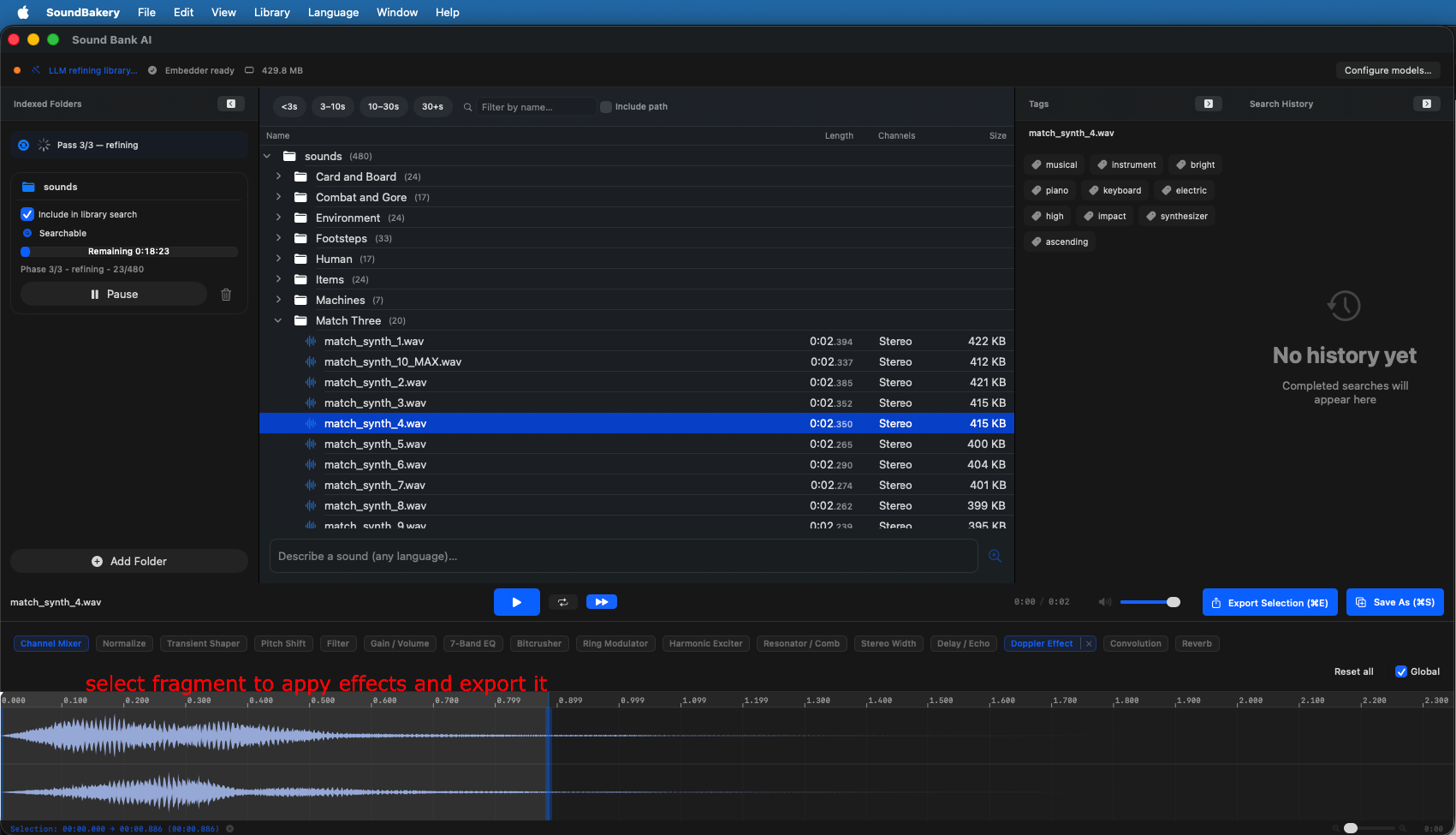
SoundBakery includes a built-in audio player with waveform visualization and a comprehensive effects pipeline. Preview any indexed clip directly in the app.
On this page
Audio Player
The audio player appears at the bottom of the catalog browser when a file is selected. It provides:
- Play/Pause — Toggle playback
- Seek — Click anywhere on the waveform to jump to that position
- Volume — Adjust playback level
- Stop — Reset to the beginning
- Progress indicator — Current position and total duration
SoundBakery uses security-scoped bookmarks to access files in user-selected folders. Playback works even if the file is outside the app's sandbox.
Waveform Display
The waveform visualizes audio amplitude over time. It updates in real-time during playback with a position marker showing the current playhead location.
Features:
- Zoom — Scroll to zoom in/out on the waveform
- Click to seek — Click anywhere to jump to that position
- Selection — Drag to select a region for export (see Export)
- Channel view — Stereo files show both channels
Audio Effects
SoundBakery includes 15 audio effects that can be applied in real-time during playback or baked into exported files. All effects are inactive by default — enable them and adjust parameters as needed.
| Effect | Parameters | Description |
|---|---|---|
| Pitch Shift | Pitch (cents), Rate (speed) | Change pitch without affecting tempo (or change both). |
| Gain / Volume | -24 to +24 dB | Simple level adjustment. |
| 7-Band EQ | 7 bands: 60, 170, 310, 600, 1k, 3k, 6k Hz | Graphic equalizer for shaping tonal balance. |
| Reverb | Room size, blend, wet/dry mix | Adds spatial ambience using AVAudioUnitReverb. |
| Delay | Time, feedback, wet/dry mix | Echo effect with adjustable timing and repeats. |
| Filter | Cutoff frequency, resonance | Dual HPF/LPF for removing low or high frequencies. |
| Transient Shaper | Attack, sustain | Shapes the attack transient and sustain tail of sounds. |
| Ring Modulator | Frequency, depth | Creates metallic/robotic timbres by amplitude modulation. |
| Bitcrusher | Bit depth, sample rate reduction | Lo-fi digital distortion effect. |
| Resonator | Frequency, bandwidth | Adds resonant peaks at specific frequencies. |
| Doppler | Motion parameters | Simulates moving sound source (pitch + volume shift). |
| Stereo Width | Width amount | Adjusts perceived stereo spread. |
| Exciter | Harmonic enhancement | Adds harmonic content for air and presence. |
| Normalize | Target peak level (dBFS) | Brings the peak level to a target — useful for matching loudness across clips. |
| Convolution | Impulse response file | Applies a convolutional reverb using custom IR files. |
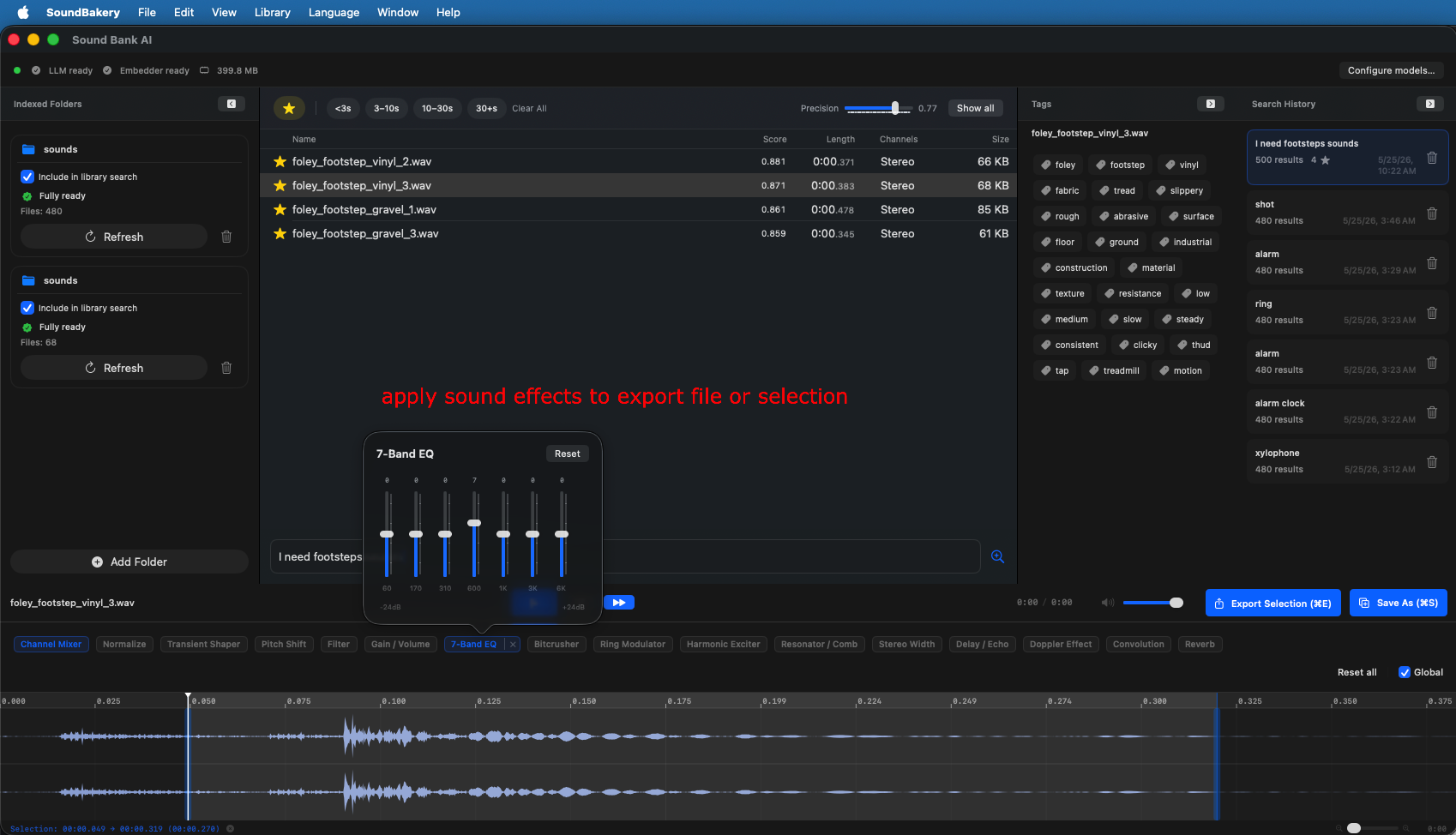
Managing Effects
- Enable/Disable — Toggle individual effects on/off with a switch.
- Reorder — Drag effects to change processing order (pipeline order matters).
- Reset — Reset an effect to its default (inactive) state.
- Presets — Some effects include factory presets (e.g., reverb room sizes).
The effects pipeline is shared between real-time playback (for preview) and offline export (for rendering). Configure effects while previewing, then export with the same settings applied.
Channel Mixer
The channel mixer lets you convert between stereo and mono during playback or export:
- Stereo to Mono — Sum both channels into a single mono output.
- Mono to Stereo — Duplicate the mono signal to both stereo channels.
- Stereo to Stereo — Passthrough (no change).